Running Virtual Machines with podvirt and Podman
https://github.com/brianmcarey/podvirt

Posted on April 6, 2026
Why did I want something like this?
For the last few years I have been mainly running Fedora Atomic based distros like Fedora Silverblue on my laptops. These were previously referred to as immutable distros and they provide the user a solid base system with container tools like toolbox for running applications. The user can also layer packages on top of the base system image which can be useful if there are any specific tools that are needed in the host environment itself. For me I like to keep my installs as clean as possible and avoid layering packages as much as possible. This can present its own little challenges which are always fun to try and solve. Running virtual machines is one of these problems that I have hit - as far as I can tell you can't run virtual machines without layering packages like libvirt and qemu-kvm.
Recently I have needed to run local virtual machines for a couple of things that I have been working on. Firstly I have been iterating on a couple of the bootc based machines in my homelab (Adventures with Bootable Containers) and being able to quickly test these locally using virtual machines really speeds up the process. I have finally started working on my new home network router based on Fedora and bootc where again a lot of the testing is happening in virtual machines. Also from time to time I have to make updates to containerdisks used for end to end testing KubeVirt. Containerdisks are basically container images with just a virtual machine disk inside. It's much easier to test these updates locally with virtualization available.
In order to avoid layering on all the virtualization packages, I have been using a tool called podvirt for the past few months to run virtual machines inside of containers using podman. podvirt leverages the great work done by the KubeVirt project. It relies on their virt-launcher container image to do a lot of the heavy lifting. The virt-launcher container image already includes all of the virtualization packages needed to run virtual machines containerized. podvirt provides a quick and easy way to spin virtual machines locally using either the podvirt cli or configuration yaml files. It has support for raw disk images, qcow2 images and containerdisk images. podvirt should work on most systems that have podman installed but it does require that the user has the podman socket running. I've mainly been using podvirt for small short-lived test VMs and it has worked well for me so far but I guess there is nothing stopping someone from using it for more persistent virtual machines.
The flow for creating and managing virtual machines with podvirt is fairly straightforward. The user needs to have the virtual machine disk that they want to run available locally (unless using containerdisks which are pulled automatically with podvirt).
Creating the VM
podvirt create --name ubuntu-test --cpus 2 --memory 4Gi --disk ~/Downloads/ubuntu-25.10-server-cloudimg-amd64.img --port 2222:22
Pulling virt-launcher image (if needed)...
Creating VM "ubuntu-test"...
VM "ubuntu-test" created (container ID: ab32ec299b2c)
  Port forward: localhost:2222 → VM:22/tcp
Start it with: podvirt start ubuntu-test
The main thing to note here is the port forwarding which will allow us to SSH into the virtual machine itself.
Starting the VM
podvirt start ubuntu-test

Starting VM "ubuntu-test"...
VM "ubuntu-test" started. Check status with: podvirt status ubuntu-test
The virtual machine may take some time to reach a running state - this can be checked by running podvirt status ubuntu-test.
podvirt list
 NAME        │ STATE   │ CPUS │ MEMORY  ( MI B ) │ CONTAINER ID
─────────────┼─────────┼──────┼──────────────────┼──────────────
 ubuntu-test │ running │ 2    │ 4096             │ ba52f741011e
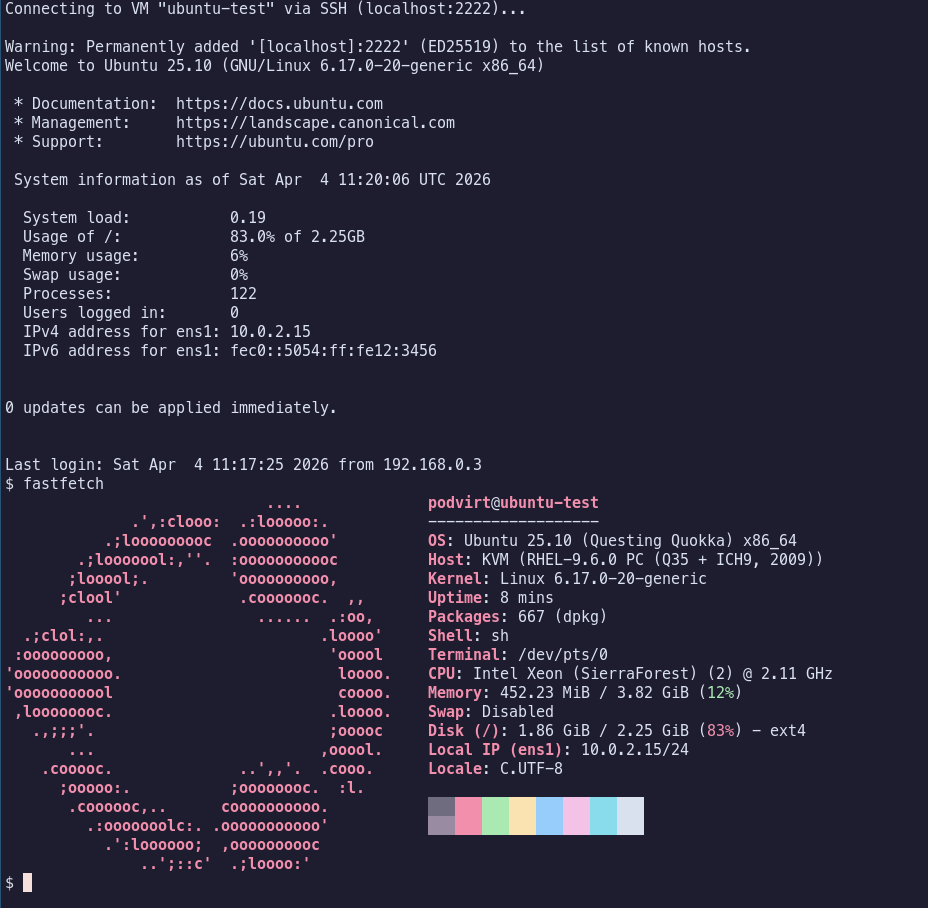
Once the VM has reached running state, it can be accessed through SSH using podvirt ssh ubuntu-test.
Stopping and Removing the VM
To clean up old virtual machines you just need to stop it using podvirt stop and remove it using podvirt rm.
podvirt stop ubuntu-test
Force-stopping VM "ubuntu-test"...
VM "ubuntu-test" stopped.

podvirt rm ubuntu-test
Delete VM "ubuntu-test"? This cannot be undone. [y/N] y
Removing VM "ubuntu-test"...
VM "ubuntu-test" deleted.
The podvirt container can still be managed as a regular container in podman so it can sometimes be faster to just stop and remove the container using podman instead of podvirt.

With all of that said I do admit that there's probably a pretty small audience for this tool as you can always just layer on the virtualization packages and be on your way but I have found podvirt very useful over the past few months so I thought I'd share it anyway. I'd be interested to hear if anybody ends up finding this helpful or if someone has solved this problem another way.